





MAP8971732-12112027
Other options for setting up direct deposit
Enroll through your employer’s payroll office
Use their online portal, if available. If not, you can provide them with a prefilled form.
Log in to Online Banking and download a prefilled direct deposit form
Not using Online Banking? Enroll now
You’ll need to know:
- Your Bank of America account and ABA routing numbers. Find them here
- Your employer’s name and address.
Note: Direct deposit is not available with Bank of America Advantage SafeBalance Banking® for Family Banking accounts.
For federal benefits checks issued by the U.S. Treasury
- Enroll online at www.godirect.gov/gpw/
- Schedule an appointment at your nearest financial center
- Call the U.S. Treasury
at 800-333-1795
Resource Center
Make the most of digital banking with resources that can help with everyday questions.
Security Center
Learn red flags of trending scams and how you can help to prevent fraud and identity theft.
How-to Guide for Digital Banking
Explore digital features on your time, and at your pace.
Frequently asked questions (FAQs)
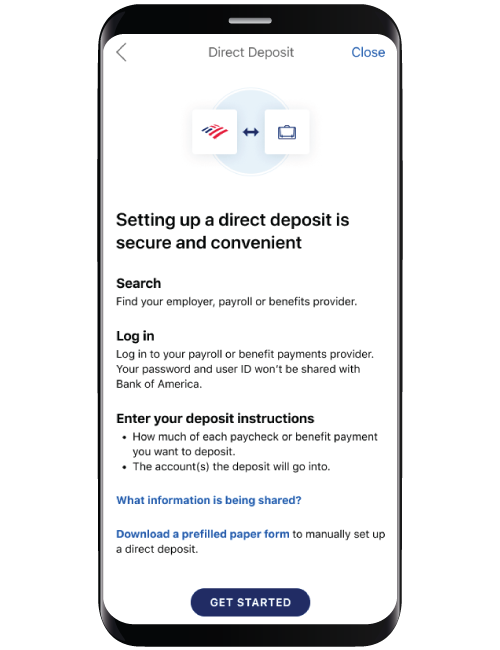
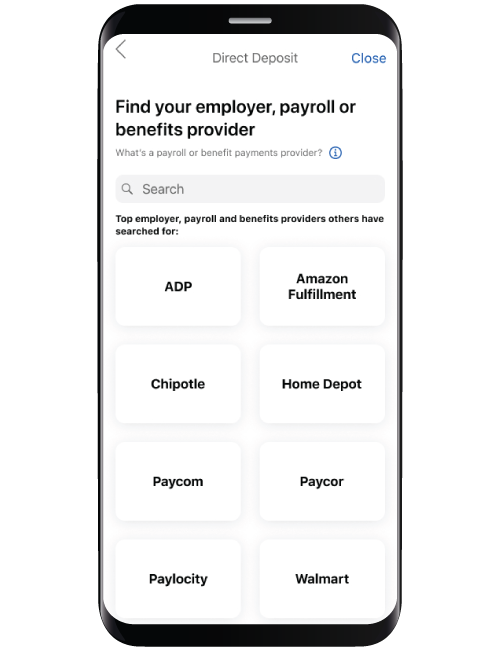
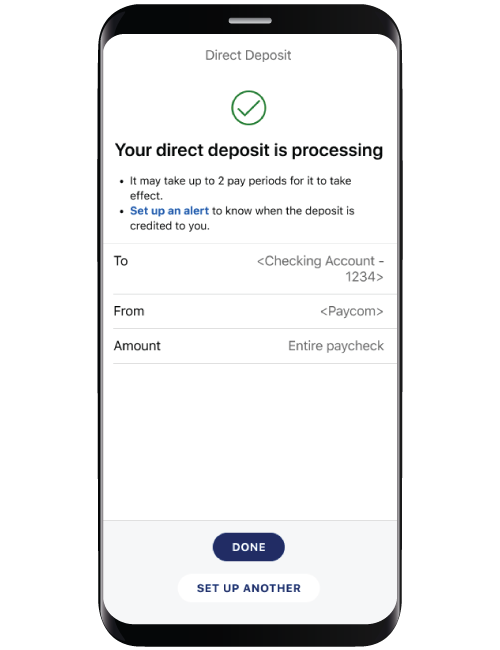
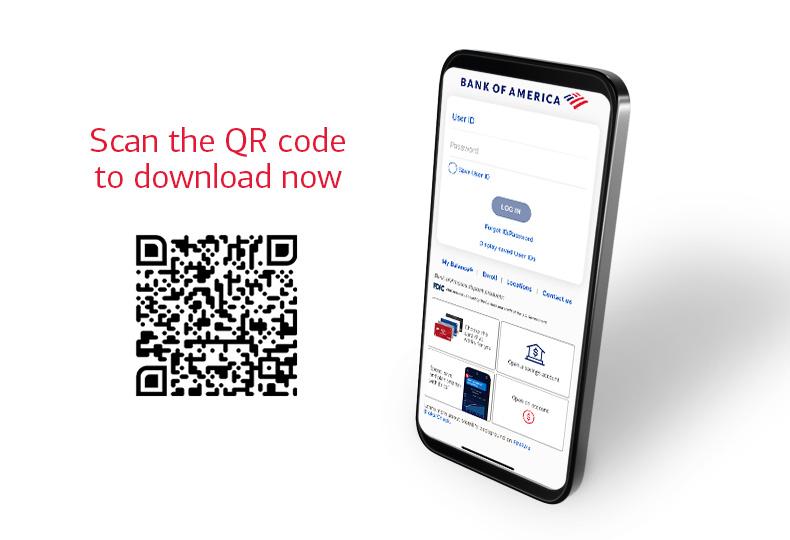
Eligible clients can enroll digitally by selecting their employer or payroll provider using the Bank of America mobile app.
- Clients enrolling via the mobile app will need to know their sign-in credentials of their employer or payroll provider to be eligible to participate.
- A direct deposit enrollment form, prefilled or blank, is available through the Bank of America website, in Online Banking, and in the mobile app. Log in to Online Banking to download a prefilled direct deposit form.
- You can complete the direct deposit enrollment form online or print the form that will contain the following:
- Account number
- Routing number
- A voided check
- You can submit the form to the issuer of the direct deposit for completion
Qualifying direct deposits are deposits of regular monthly income (such as your salary, pension, or Social Security benefits) that are made by your employer or other payer using the account and routing numbers that you provide to them. These deposits qualify for Bank of America Advantage Plus Banking® and Senior Economy Checking monthly maintenance fee waiver.
Teller deposits, wire transfers, Online and Mobile Banking transfers, transfers from one account to another, and ATM transfers and deposits are examples of deposits that do not qualify for the monthly maintenance fee waivers.
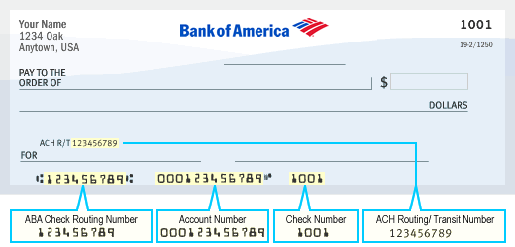
If you're reordering checks, setting up a direct deposit or an automatic payment or preparing a wire transfer, you'll probably be asked to provide an ABA routing number.
This sample check image shows where the ABA routing number and checking account number can be found on your checks. (Refer to your own check for your specific numbers.)
There is no charge for direct deposits.
Log in to Online Banking to download a prefilled direct deposit form
Not an Online Banking customer? Enroll in Online Banking today
You can set alerts for important account activity using Online Banking or the mobile app.
Want us to walk you through it?
Log in to Online Banking to set up direct deposit alerts
Show me how to set alerts on the mobile app
Not enrolled in Online Banking?
Enroll in Online Banking
Get the app
There are 3 ways to enroll in direct deposit of federal benefits:
- Visit the U.S. Dept of the Treasury website.
- Call the U.S. Dept. of the Treasury at 800-333-1795.
- Schedule an appointment at your nearest financial center and we'll be happy to assist you.
Please visit the Social Security website for guidance on how to set up or change direct deposit.